Order drafts for a customer order screen
Customer Order DraftsAugust 2026Software engineering internship · P&L Systems
What this is
I spent summer 2026 as a software engineering intern at P&L Systems, an import-export firm in Oakville, Ontario. The company kept its shipments in a shared Excel file, and I built an internal platform to replace it: an Angular front end, a Python API (FastAPI) and a relational database. About 30 executives and managers use it.
This page covers the part with the most to say, the backend of the Sale / Customer Order screen. On that screen someone picks a provider and one of its containers, sees how many bags of each item are left, and builds an order for a customer. It comes down to a table that holds an unfinished order, a model for it, and two endpoints: one that loads the screen and one that searches customers. Stock gets into the database through a separate upload feature, so this page starts after that.
The platform is internal, so there are no screenshots, and the snippets are simplified. I did not load test anything; the query count below comes from reading the code.
One active draft per container
A draft is an order that is still being built. The screen saves it so that someone can leave and come back. I wanted at most one open draft per provider and container, so the screen always knows which draft to load.
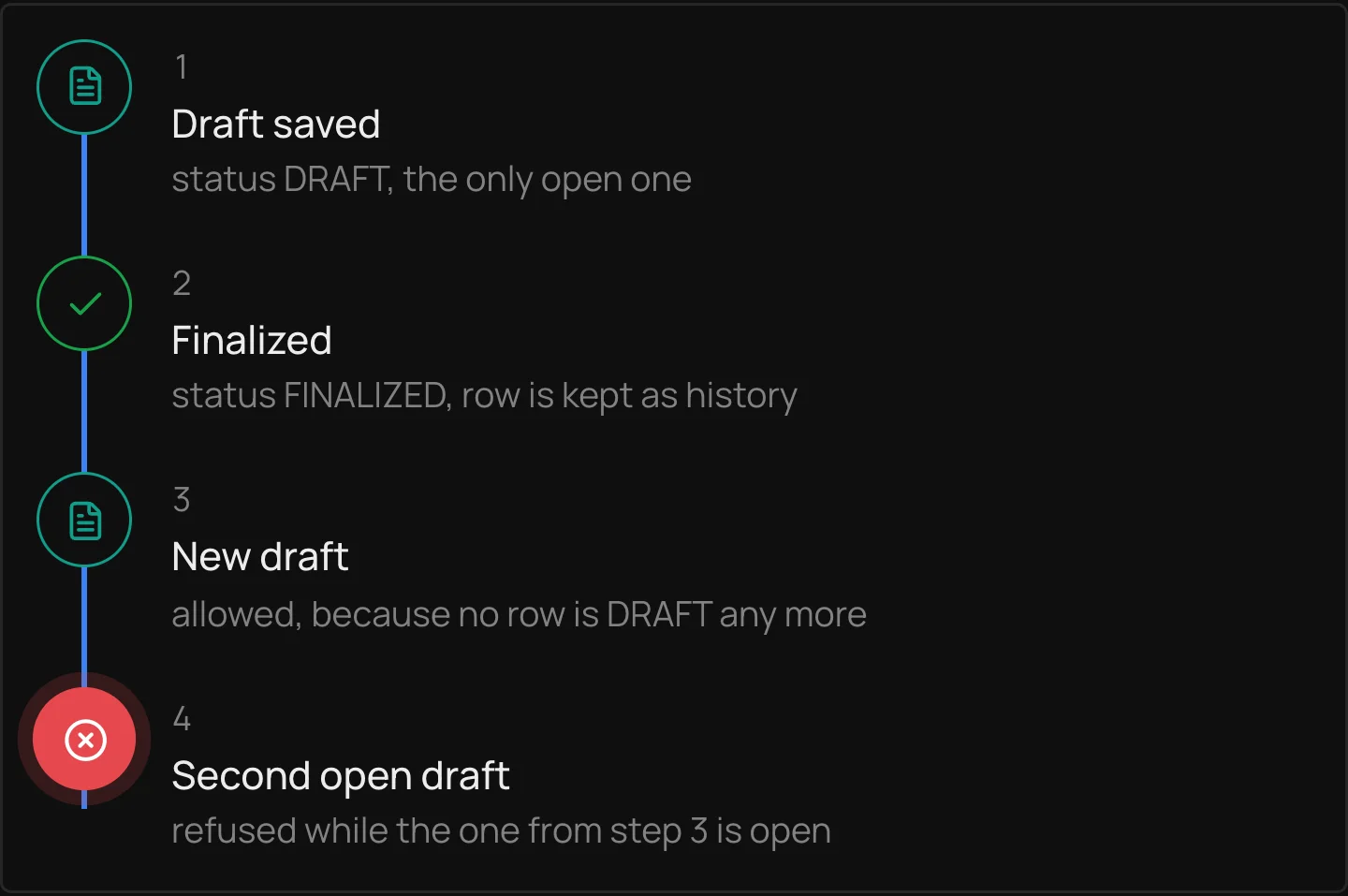
The obvious way to say that is a unique constraint on the provider and container columns. It works until the first draft is finalized. The finalized row has to stay, because it is the record of what was ordered, and then starting a new draft for the same container collides with it. So the unique index only covers rows whose status is still DRAFT. Finalized and cancelled rows fall outside it and pile up as history.
- 1Draft savedstatus DRAFT, the only open one
- 2Finalizedstatus FINALIZED, row is kept as history
- 3New draftallowed, because no row is DRAFT any more
- 4Second open draftrefused while the one from step 3 is open
CREATE UNIQUE INDEX UX_ActiveDraft
    ON CustomerOrderDrafts (ProviderId, ContainerId)
    WHERE Status = 'DRAFT';

-- and a check so Status can only be one of three values
CHECK (Status IN ('DRAFT', 'FINALIZED', 'CANCELLED'))It also means two simultaneous inserts for the same container cannot both succeed, though I never tested that, and the endpoints that insert drafts are not covered here. The check in the same migration keeps Status to DRAFT, FINALIZED and CANCELLED, so a typo elsewhere cannot create a fourth state that the index would ignore.
Id              integer, primary key
ProviderId      integer, required
ContainerId     integer, required
AllocationJson  text, optional   -- the saved order, as JSON
Status          DRAFT | FINALIZED | CANCELLED, default DRAFT
CreatedBy, CreatedOn, UpdatedBy, UpdatedOnAllocationJson holds which items and how many bags go to which customer. I stored it as JSON text so I would not have to settle on a column layout while the screen was still being designed. The cost is that the database cannot validate it. It has no foreign key to customers, and anything that reads it has to parse it and cope with text that does not parse. The model class for the table declares foreign keys to the provider and container tables, but the SQL migration does not create them, so the two disagree.
Loading the order screen
The screen needs the provider, the container, the stock rows with total, sold and remaining bags and a unit price, the open draft if there is one, and totals across the rows. Separate endpoints for each would mean the browser makes several requests before it can draw anything, and the arithmetic that combines them would live in the front end. I put it all behind one call, GET /customer-orders/screen, which takes a provider id and a container id.
The response has the provider and container, a list of stock rows, the open draft, and a summary with total, sold and remaining bags across the rows. The draft is the saved JSON parsed back into an object, or null when nobody has started one, so the front end can tell a fresh screen from a resumed one without a second request.
If the provider or the container does not exist the answer is a 404, and if the container belongs to a different provider it is a 400. After that the endpoint reads the stock rows for the container, the grade names for the grades those rows use, the sold counts, and any open draft. That is at most six queries however many stock rows there are, because grades and sold counts are fetched for all rows at once. The grade lookup is skipped when no row has a grade. Totals are added up in Python while the rows are built, not in the database.
The other endpoint, GET /customers/search, feeds the customer picker. It matches on company name, returns active customers only, needs at least two characters, and returns 20 results unless the caller asks for more, up to 50. Each result is a trimmed record with an id, a name, a customer code and a phone number, which is enough for a dropdown.
Remaining bags
The inventory screen already counts bags sold per item and grade with a helper function. The order screen calls that same helper instead of getting its own count, so the rule for what counts as sold is written in one place. If someone changes it, they change it once.
The helper adds up the item counts on sale lines that are not deleted, for the container's number, grouped by item code and grade. The endpoint looks each stock row up in that result and treats a missing entry as zero sold. It matches on item code and grade as well as container, since one container holds several items and each item can come in more than one grade. If the container has no number, or it has no stock rows, the helper returns early with nothing, so every row shows zero sold. That is a quiet failure: the screen loads fine and the remaining counts are simply too high.
sold_map = _aggregate_sale_counts(db, rows, container.ContainerNumber)
for r in rows:
    total = r.PackageCount or 0
    sold = sold_map.get((r.ItemCode, r.ItemQualityId), 0)
remaining = total - soldWhat is unfinished
Known gaps in this part:
- It only reads. Saving, finalizing and cancelling drafts are not covered here, so nothing here creates a draft, and the index is not exercised by any code on this page.
- Sold counts match sale lines to a container by its container number as text. A mistyped or reused number gives wrong counts.
- Remaining bags is total minus sold with no floor, so it can go negative. The screen load reports that as it is.
- The inventory list limits one kind of user to containers flagged for verification. The screen load does not apply that rule.
- The container's arrival date is a stand-in. There is no arrival column, so the response sends the time the container record was created.
- Customer search puts the typed text inside a
LIKEpattern without escaping it, so a%or_in the box acts as a wildcard. The route is also declared before/{customer_id}on purpose. Otherwise “search” would be read as an id. - A draft whose saved JSON is malformed makes the screen load fail with a server error.
If I kept working on it, I would add the missing foreign keys in a second migration, floor or flag negative remaining bags, and count sales by a container id instead of text. I would also write a test that sends two inserts for the same container at once, since I have only reasoned about that case.