Scire: a tutoring app for schools and clubs
ScireApril 2025 to presentPeer tutoring app · live at app.tutoringapp.ca
What Scire is
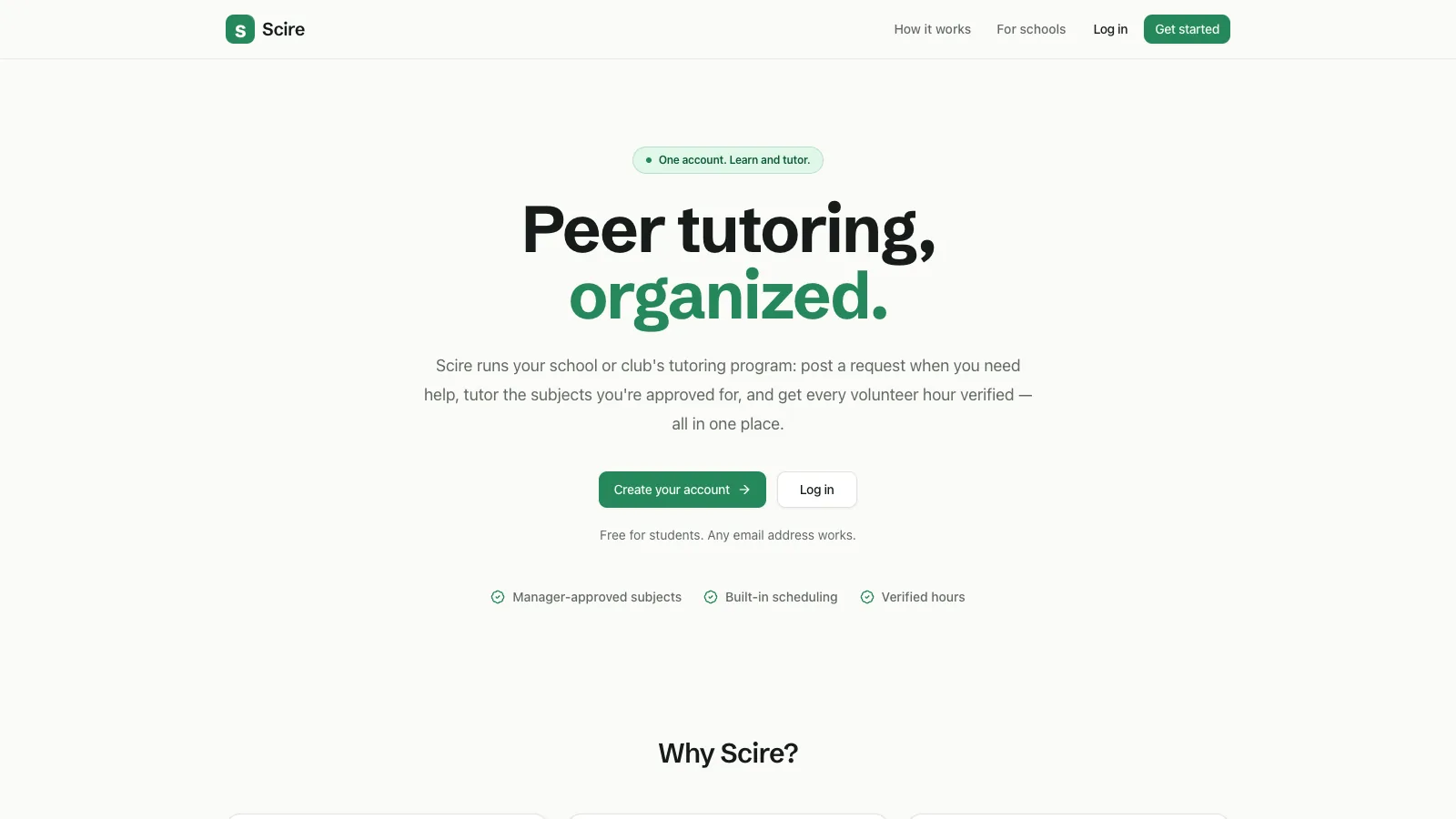
Scire is a web app for running a peer-tutoring program at a school or club. A learner posts a request in a subject. A tutor who has been approved for that subject claims it, and the two meet. Afterwards a manager, usually a teacher or a club executive, verifies the session and credits the tutor's volunteer hours. Before this, the program ran on forms and a spreadsheet that the executives kept by hand.
It serves 120+ tutors and 2,000+ tutees. Traffic is modest and it has not been load tested. We built it as one Next.js app in TypeScript, with Postgres and sign-in on Supabase, and a good share of the rules are written as functions, triggers and constraints in the database.
A session goes through a fixed set of states: open, claimed, availability set, scheduled, completed and verified, with cancelled and needs-changes on the side. The learner sets availability, the tutor picks a time inside it, and a recording link is required before a session can be marked completed. Every step is a change to the status of one row in the sessions table, which gives the guard trigger described below a single place to look.
My part was the backend work on who may tutor a subject, how a request gets assigned to one tutor, and how hours are credited. I also did some UI/UX development and testing. The signup flow, the scheduling screens and the email templates are left out of this page. It covers those three, then how data is kept apart between organizations, then what is still unfinished.
Who may tutor what
A manager approves a member for a subject. The approval is a row that ties the member to the subject and has a status. A function, can_tutor, takes a subject id and returns true when the signed-in user is an active member with an approved row for exactly that subject.
Approvals point at a subject id from the organization's own list of subjects, so renaming a subject doesn't disturb anyone's approvals.
select exists (
  select 1 from subject_approvals sa
  join profiles p on p.id = sa.profile_id
  where sa.org_subject_id = p_subject
    and sa.profile_id = auth.uid()
    and sa.status = 'approved'
    and p.kind = 'member'
    and p.status = 'active'
);The function also checks the profile itself. A member who has been suspended stops passing the check, even if their old approvals are still in the table, and a manager account is not treated as a tutor.
It is a database function so the claim trigger can call it. That means the rule applies to claims made through the app's user-level connection. Code that runs with the service role skips the guard, so it would have to run the check itself. In the migrations, the trigger is the only caller.
Claiming a request
Several approved tutors can see the same open request, so two of them can try to claim it at once. The claim is a single UPDATE that sets the status to claimed and the tutor to the caller, with a condition that the status is still open. If the update changes no row, someone else got there first and the tutor gets a 409.
const { data: updated } = await supabase
  .from("sessions")
  .update({ status: "claimed", tutor_id: user.id })
  .eq("id", id)
  .eq("status", "open")
  .select("id")
  .maybeSingle();

if (!updated) return conflict("already_claimed");This is the usual compare-and-set pattern. The claim is a conditional update rather than a read followed by a write, which would leave a gap for the second tutor, or a lock, which is more than one status change needs.
A trigger on the sessions table, sessions_guard, covers the other half. For a claim it checks that only the status and tutor columns changed and calls can_tutor on the session's subject, so a hand-made request from someone who is not approved is refused.
The route handler reads the row before it updates, only so the error messages are clear. It answers 404 if the row isn't visible to the caller, 403 if the request is their own, and 409 if it is no longer open. Two tutors can both pass that read. The conditional update is what lets only one of them through.
One weak spot is how the handler turns a trigger error into a response. It looks for words like "not approved" in the error text, so rewording the message in the trigger would quietly change what the tutor sees. The claim has only been tried by hand, not stress tested.
Crediting hours
Hours are stored as ledger rows, either an award or an adjustment, in volunteer_hours_ledger, and a tutor's total is the sum of their rows.
When a manager verifies a session, a trigger inserts the award row in the same transaction as the status change, using the tutor, hours and note from the session exactly as the manager entered them, so a verified session always has its row. Verified is a terminal state, so the guard refuses a second verify. A unique index on the session id, limited to award rows, is a backstop that allows only one award per session.
if new.status = 'verified'
   and old.status is distinct from 'verified' then
  insert into volunteer_hours_ledger
    (org_id, profile_id, session_id,
     kind, hours, note, awarded_by)
  values (new.org_id, new.tutor_id,
    new.id, 'award', new.awarded_hours,
    new.verification_note,
    new.verified_by);
end if;

create unique index
  ledger_award_unique
  on volunteer_hours_ledger
  (session_id)
where kind = 'award';The trigger fires only on the change to verified, so any other path that credited hours would skip it.
A mistake gets fixed by inserting an adjustment row, which a manager can do. Ledger rows can't be edited or deleted by the app's users, so the history stays in the table. A separate trigger rejects an adjustment that would push a tutor's total below zero, and each row is limited to between a quarter hour and 24 hours.
Managers type in the hours for each session by hand, so the ledger records what they entered and can't tell whether the number was right. There is also no report screen beyond the totals. If a manager gets the hours wrong, the fix is a correction row and the original award stays visible in the history.
Multiple organizations
One database serves every organization, so we keep each school's data separate. Every table that holds school data has an org_id, and row-level security policies compare it with the caller's organization. The policies call small helper functions that look up the caller's profile on each request. This part was shared work.
Foreign keys carry the organization as well. A session points at its requester, tutor and subject through pairs of columns, so it can't reference a profile or subject from another organization.
foreign key (requester_id, org_id)
  references profiles (id, org_id),
foreign key (tutor_id, org_id)
  references profiles (id, org_id),
foreign key (org_subject_id, org_id)
references org_subjects (id, org_id)What's unfinished
There are no automated tests, so changes to these rules are checked by hand against a database. The other gaps I know of:
- Nothing here has been load tested, and the only checking of the claim and hour logic has been running it by hand against a database.
- Setting up a new project is partly manual. The sign-in hook and several security settings are switched on in the Supabase dashboard, and the migrations don't carry them.
- A manager decides the hours for each session by hand. The system records the award once but doesn't work out the amount.
- Reminder emails use UTC days, so "next day" for a school in another time zone can start earlier or later than its own midnight.
- Emails are sent after the response. A failed send is logged as failed, and only the daily reminder pass tries it again.
- Organizations can be archived but not deleted. A full purge would also need a separate pass to remove the matching sign-in accounts.